Test Runner CLI for Coding Agents
Wallaby CLI brings runtime test intelligence into agentic coding workflows. Whether you’re using Claude Code, Codex CLI, Copilot CLI, OpenCode, Pi, or any other AI coding agent, Wallaby can now run your tests and report results, coverage, and runtime data directly from the command line, without requiring an editor session or an MCP server to be running. This is especially useful for git worktrees and other headless workflows.
Whether your project uses Vitest, Jest, or any other supported testing framework, Wallaby CLI makes your test runner an order of magnitude smarter. Instead of repeatedly running entire suites and parsing raw output, agents get precise, structured runtime data: which tests to run, what failed and why, what code is covered, and any runtime values along the way. The result is significantly fewer tokens consumed and much faster feedback loops.
Adding Wallaby CLI support to a coding agent is straightforward. You can enable it simply by running:
npx skills add https://github.com/wallabyjs/skills --skill wallaby-cli
Wallaby starts only when an agent actually needs it, stops automatically when the agent exits, and reuses an existing instance started from an editor session when available. This minimizes startup time and provides immediate access to runtime data.
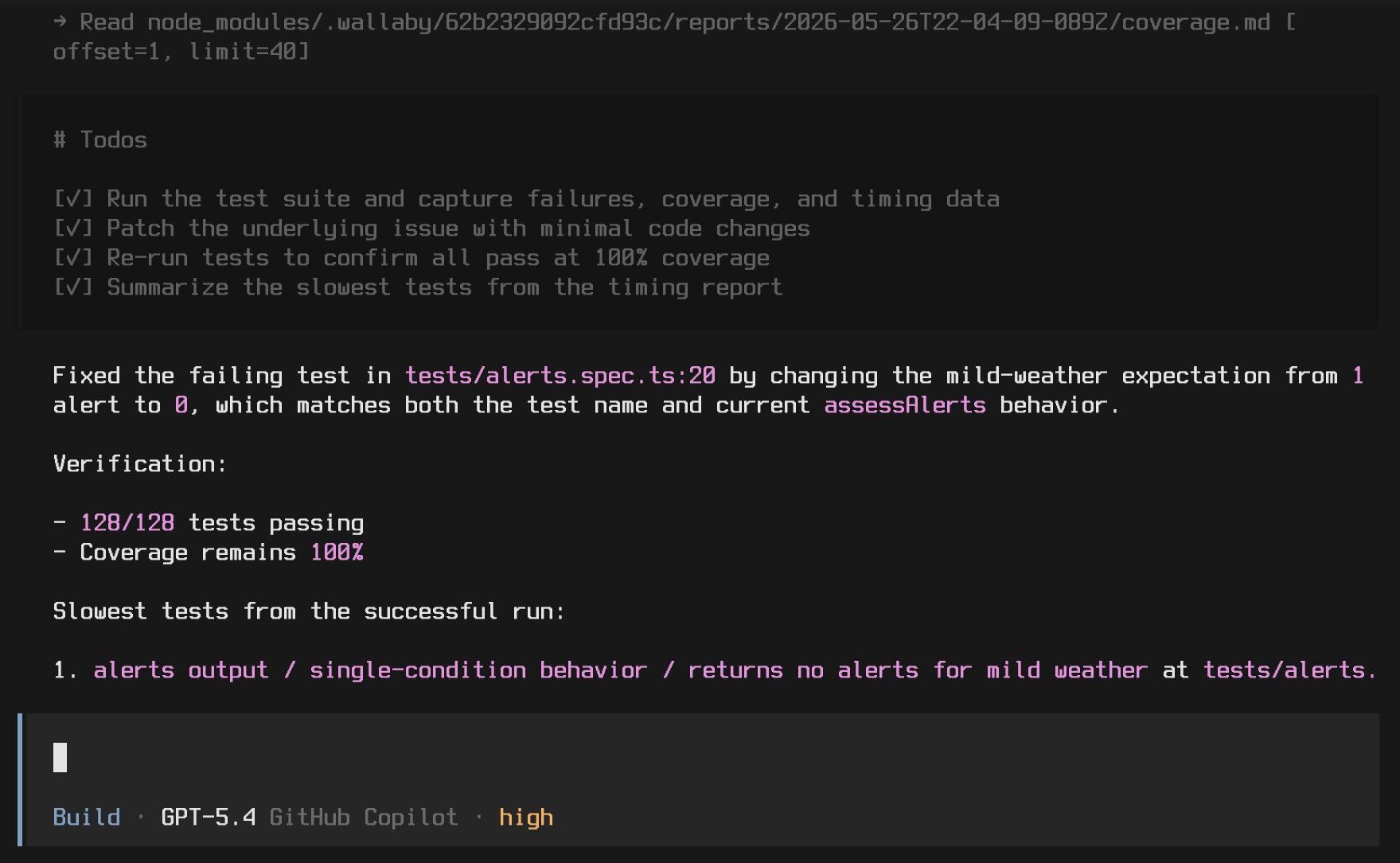
With Wallaby CLI, coding agents can use accurate test and coverage data to validate generated code, improve test quality, and increase coverage. Agents can also debug failing tests without modifying source files, reducing unnecessary edits and making iterative workflows more efficient and token-effective.
This is an early step, and there’s more coming. We’re continuing to improve support for isolated, sandboxed, and CI environments. We’re also working on connecting existing editor extensions to CLI-managed Wallaby instances, improving the skill’s token efficiency through evals and other DX enhancements, and exposing even more Wallaby runtime data to agents through the CLI.
Read the full AI coding agents docs to learn more.