|
Hello,
We are pleased to announce our special Black Friday offers
are now available for Wallaby.js,
Quokka.js and Console Ninja.
These are the biggest discounts we offer all year, so don't miss out!
This year, we have been busy iterating on all three products and are also excited to
share some of the
latest updates with you below.
If you don't already have Wallaby, Quokka,
or Console Ninja, you may be interested in our massive discounts.
These discounts are only available until December 1st @ 00:00
UTC. Personal licenses are discounted by:
If you already have a personal license, you can renew early (via your Wallaby Account) and receive
the same discount (or better, depending on your license type).
Wallaby v3 and more
In late September of this year, we released Wallaby v3.
Wallaby v3 provides an overhauled execution engine that streams test, coverage, log,
and error results in real time.
Wallaby v3 starts instantly with cached results, prioritizes execution of the files
you're working on, and keeps you
updated with progress and time estimates.
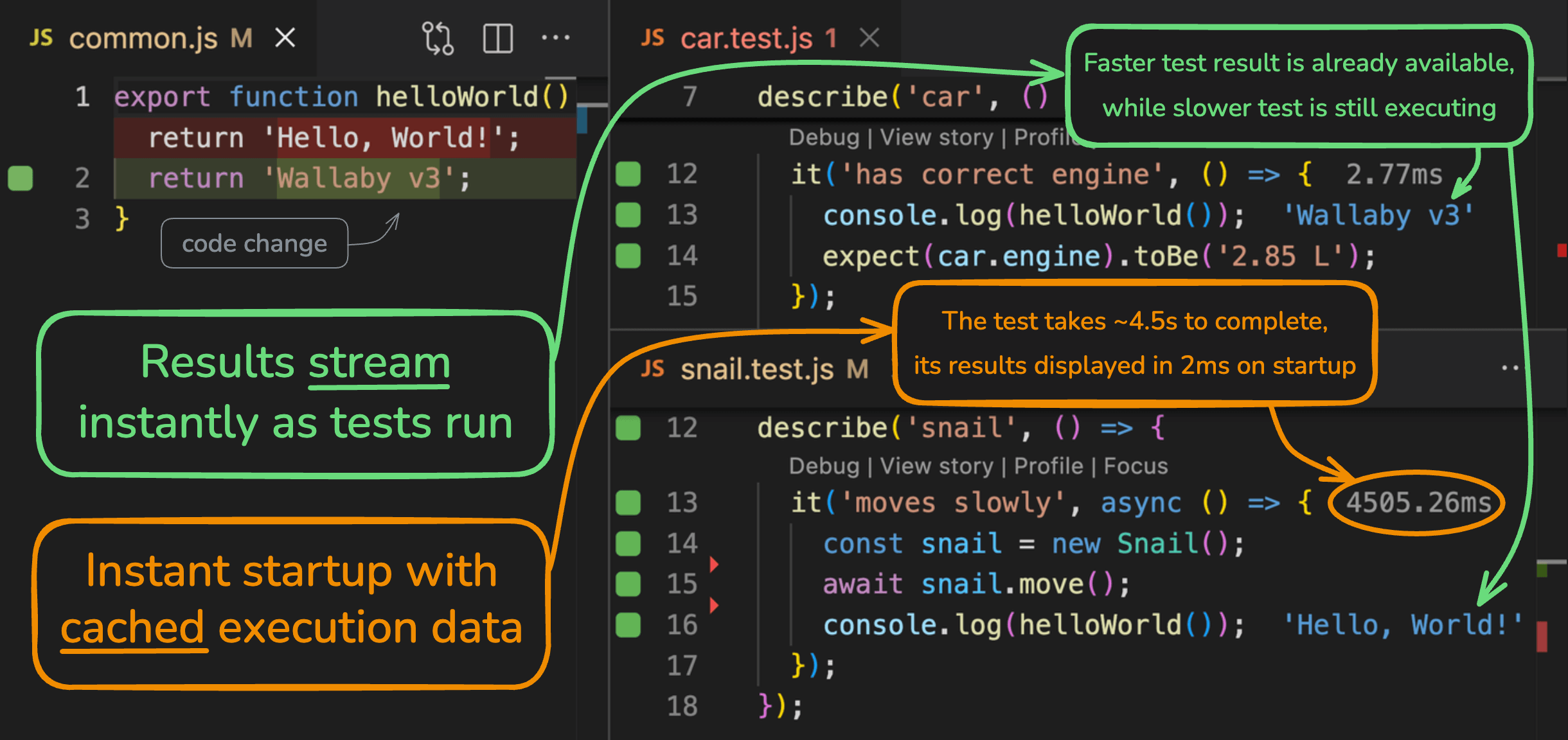
In the last few months alone, we've added a number of key
features to Wallaby, including:
JetBrains MCP
support: Wallaby's MCP server tools are now available for JetBrains
editors.
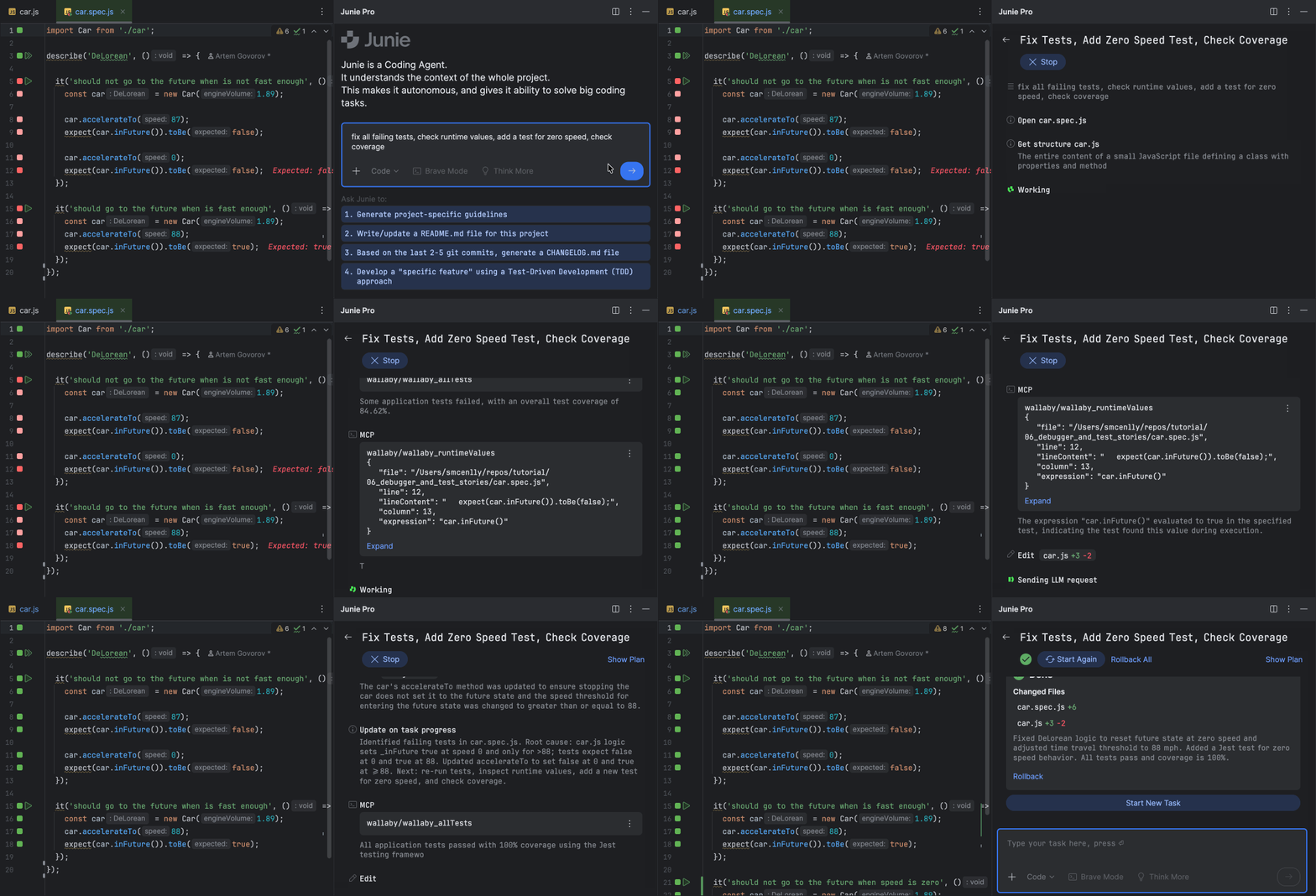
Vitest v4 support:
for the latest version Vitest, which included major breaking changes.
AI Action Selector
modes: Investigation, Analytical Fix, Direct Fix options to align with
user action / task type.
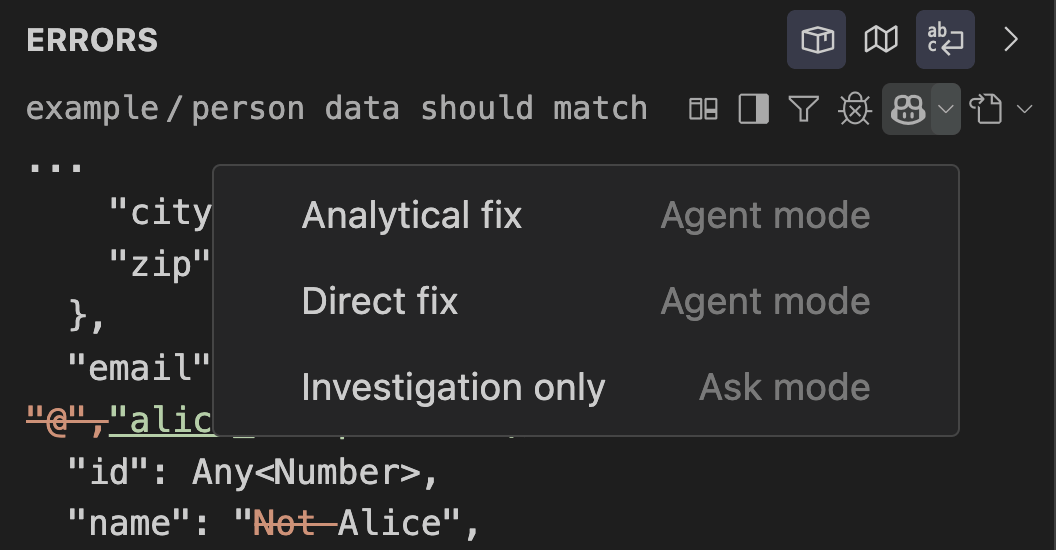
Copilot and MCP incremental improvements: adjusted
prompts, and mode behavior.
Angular
20 workspace support: including better isolation by running each project's
tests in its own browser instance.
Coverage auto
filtering: shows coverage only for selected, or focused tests; reducing
time processing irrelevant code.
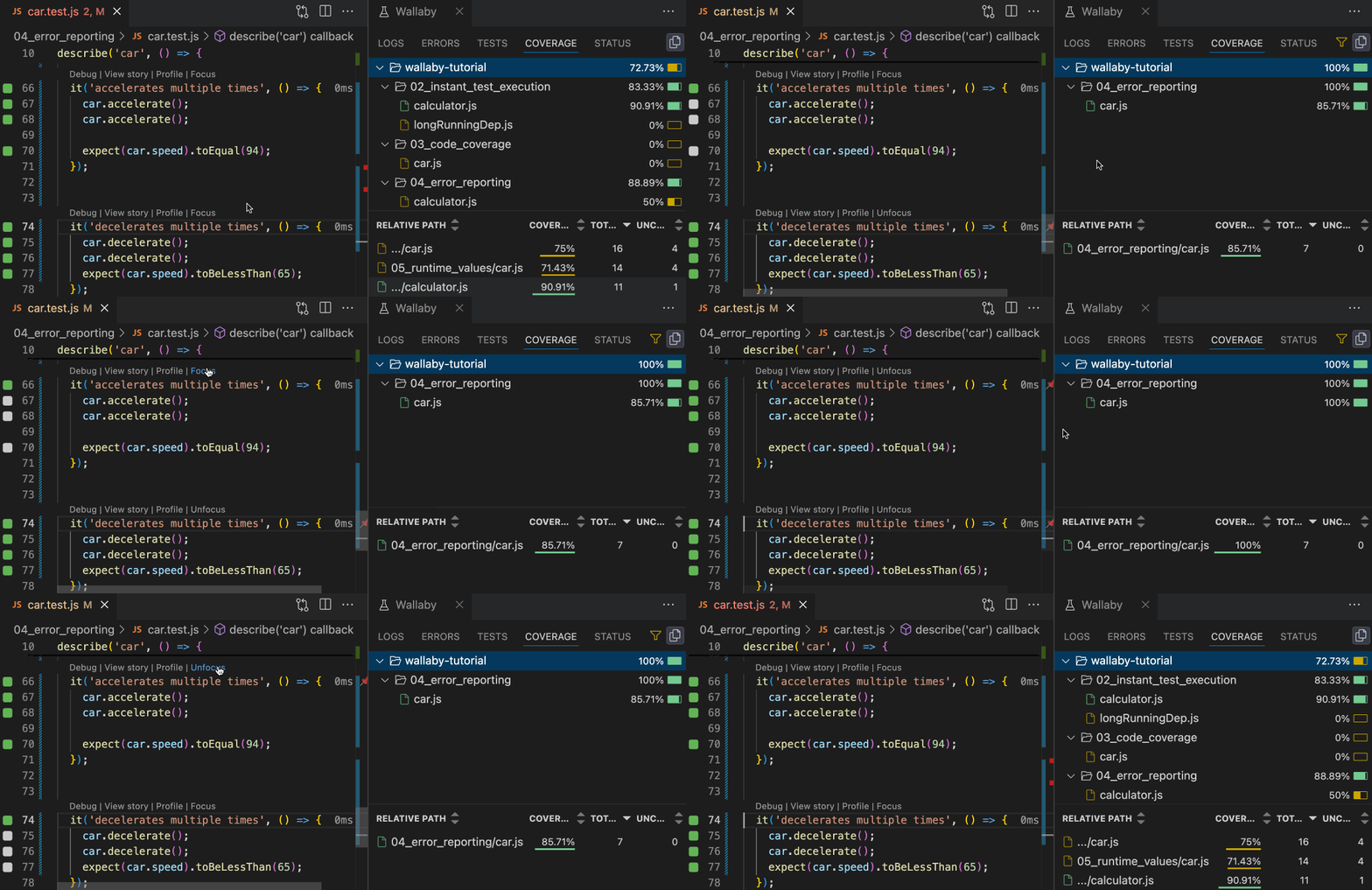
Test
Explorer in Overview: quickly switch between failing tests list and full
test tree.
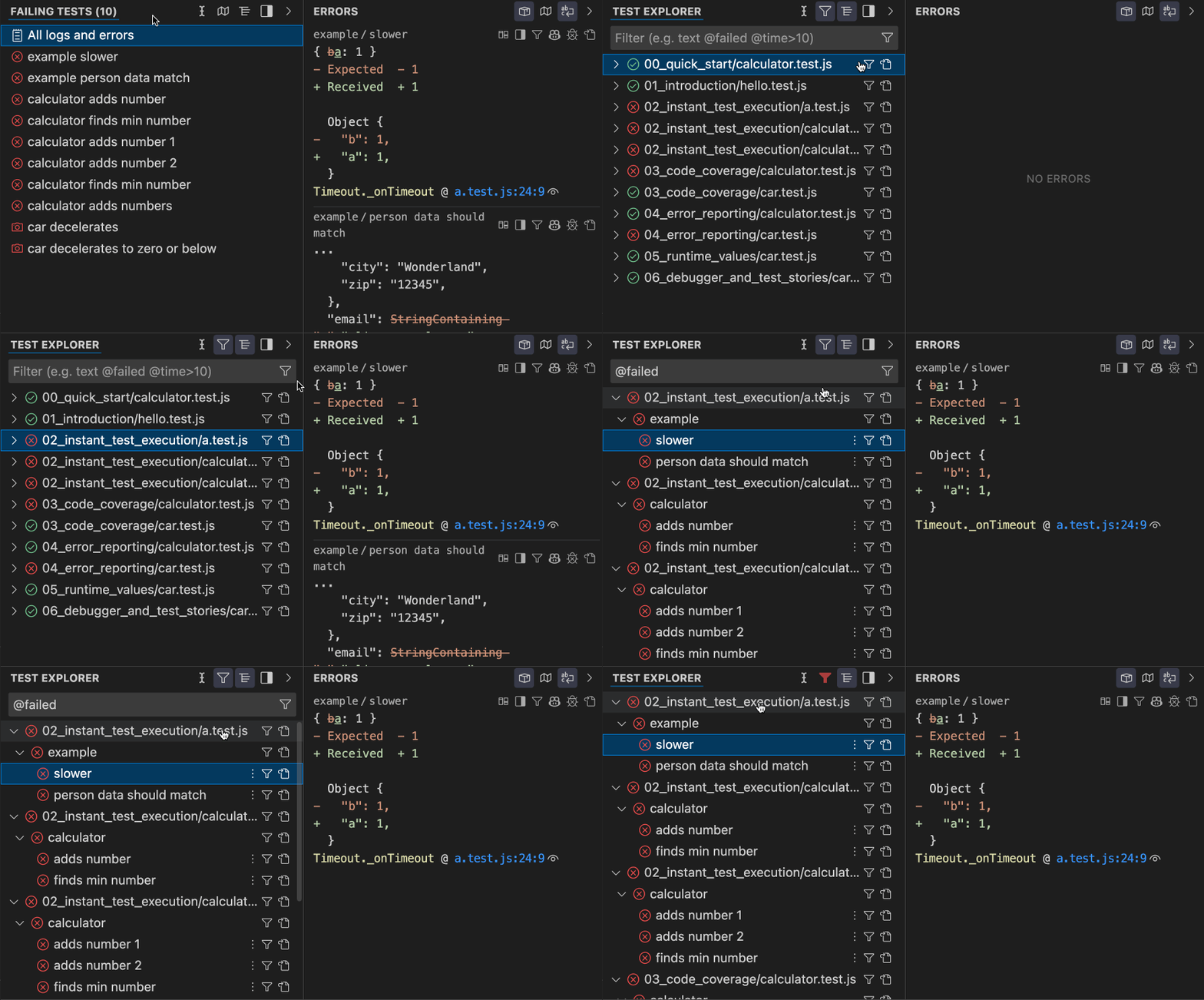
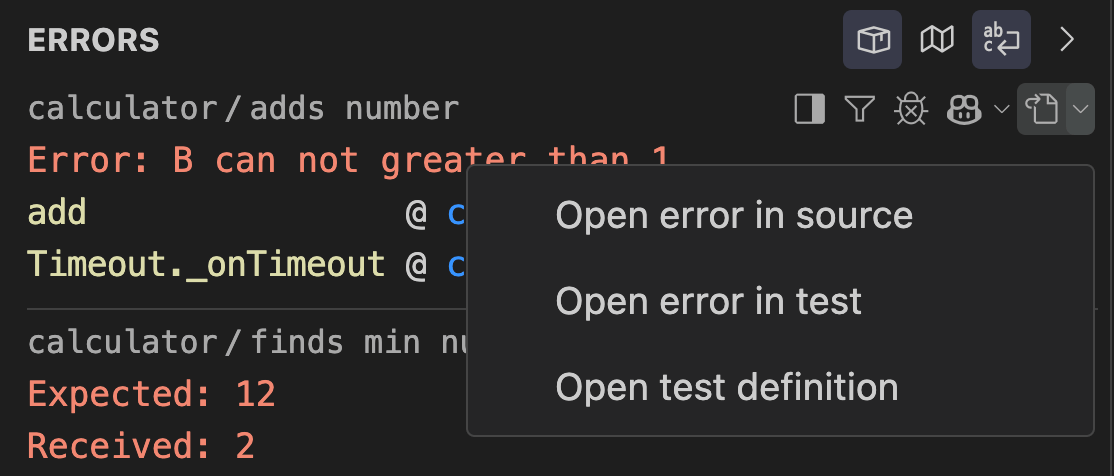
Navigation target
selector: jump directly to test definition, failing assertion, or source
line; removes extra navigation steps.
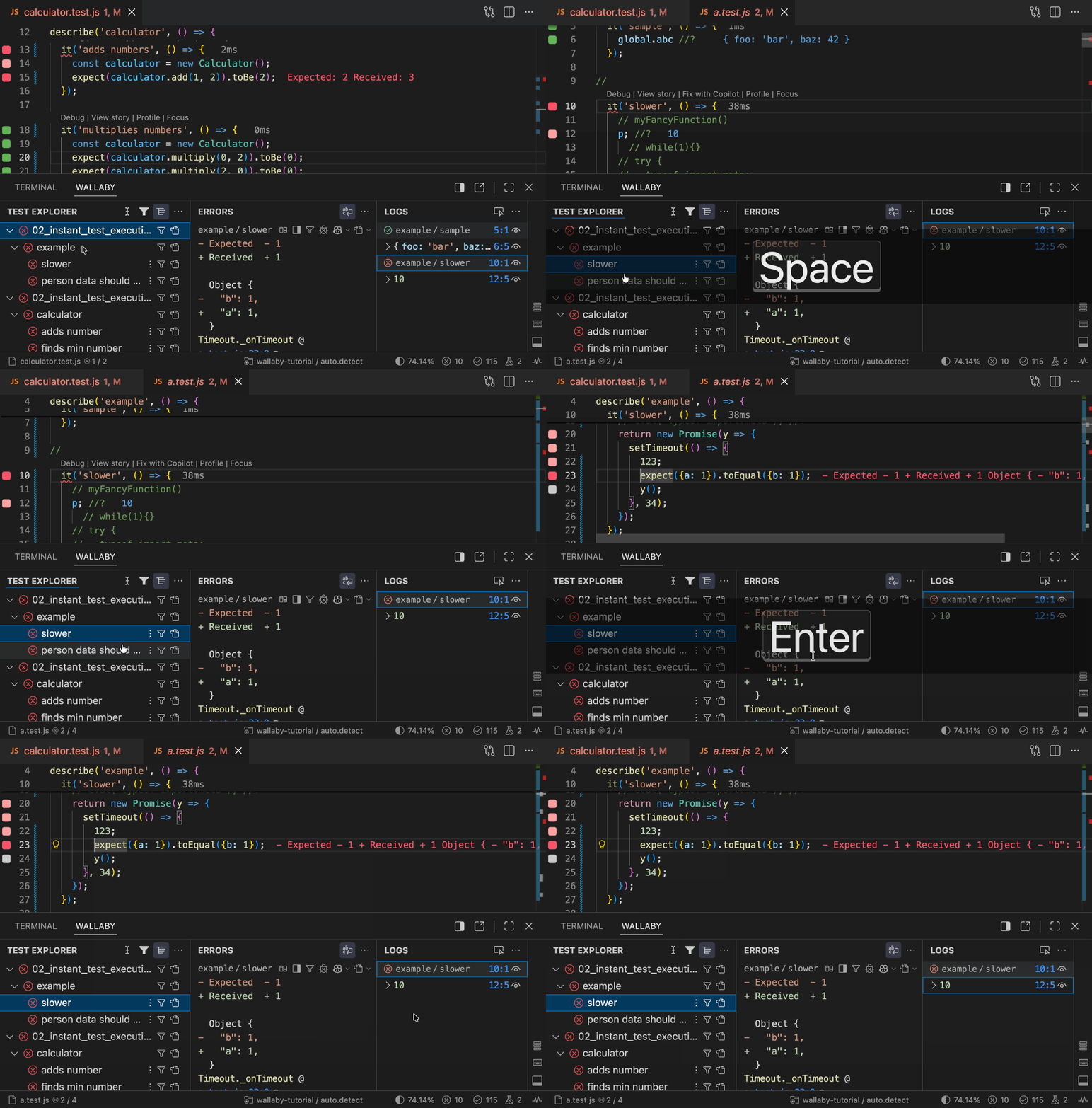
Peek source anywhere with
dot: Press (dot) to open source for tests, errors, logs without leaving
the view; shortens inspect and edit cycle.
Identifier
expression logging: now records multiple values for identifier expressions
instead of just the first.
For more updates, check out Wallaby's What's New page and our CHANGELOG.md.
Quokka
Quokka.js continues to evolve. Here's a roundup of the big features
and improvements we shipped in 2025:
Run Mode
Improvements: Quokka Pro now supports a persistent
Run on Demand mode, plus a one-key rerun command. For Run on Demand and Run on Save
modes, you'll now also see
indicators and logs from your previous run.

Interactive Runtime Value
Graphs: provide a powerful new way to explore live
runtime data as structured graphs directly in your editor.
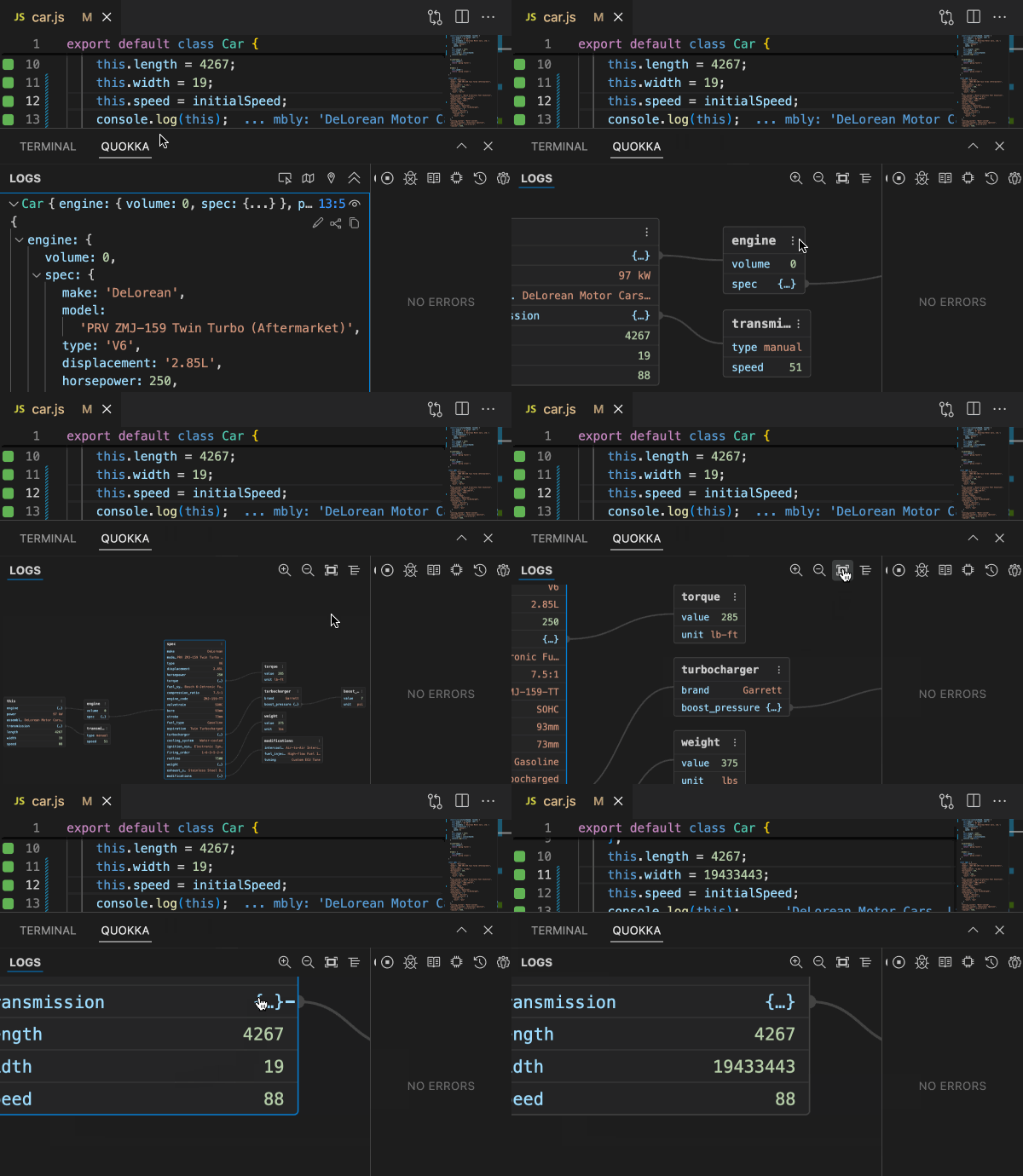
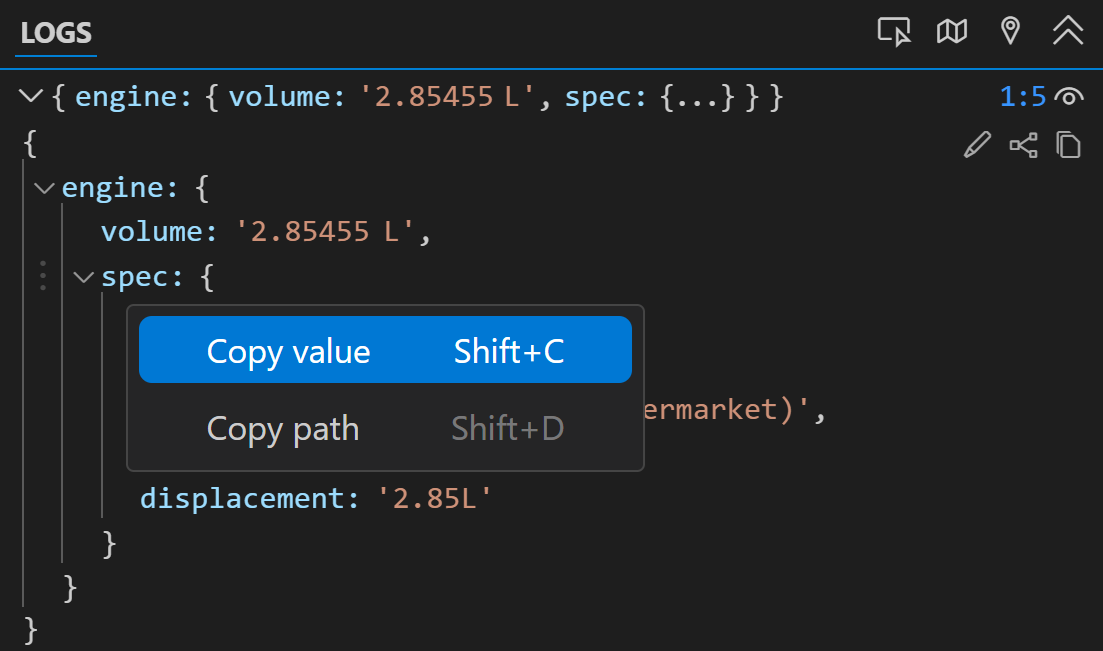
Log Copying
Improvements: You can now copy values or paths directly from
Quokka log entries (including nested ones), via keyboard shortcuts or a context menu.
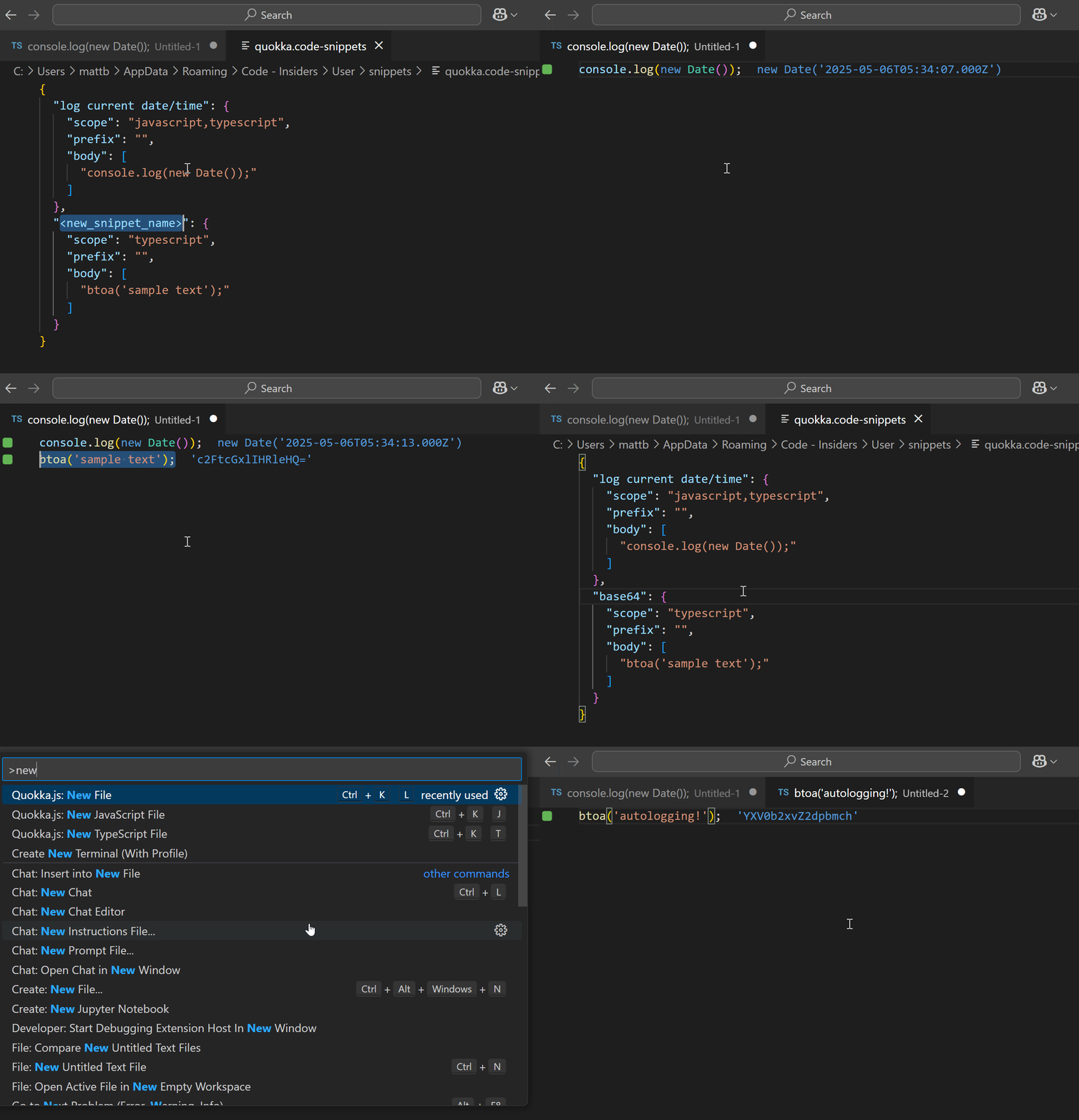
Quokka Snippets for VS
Code: New snippet commands make creating Quokka files
even faster than before. When you create a file from a snippet, autologging is enabled
by default
to make your prototyping loop even tighter.
Expanded
TypeScript Support: In addition to supporting ts-node, Quokka now supports
more modern tooling, tsx and @swc-node/register, which are faster and more
memory-efficient.
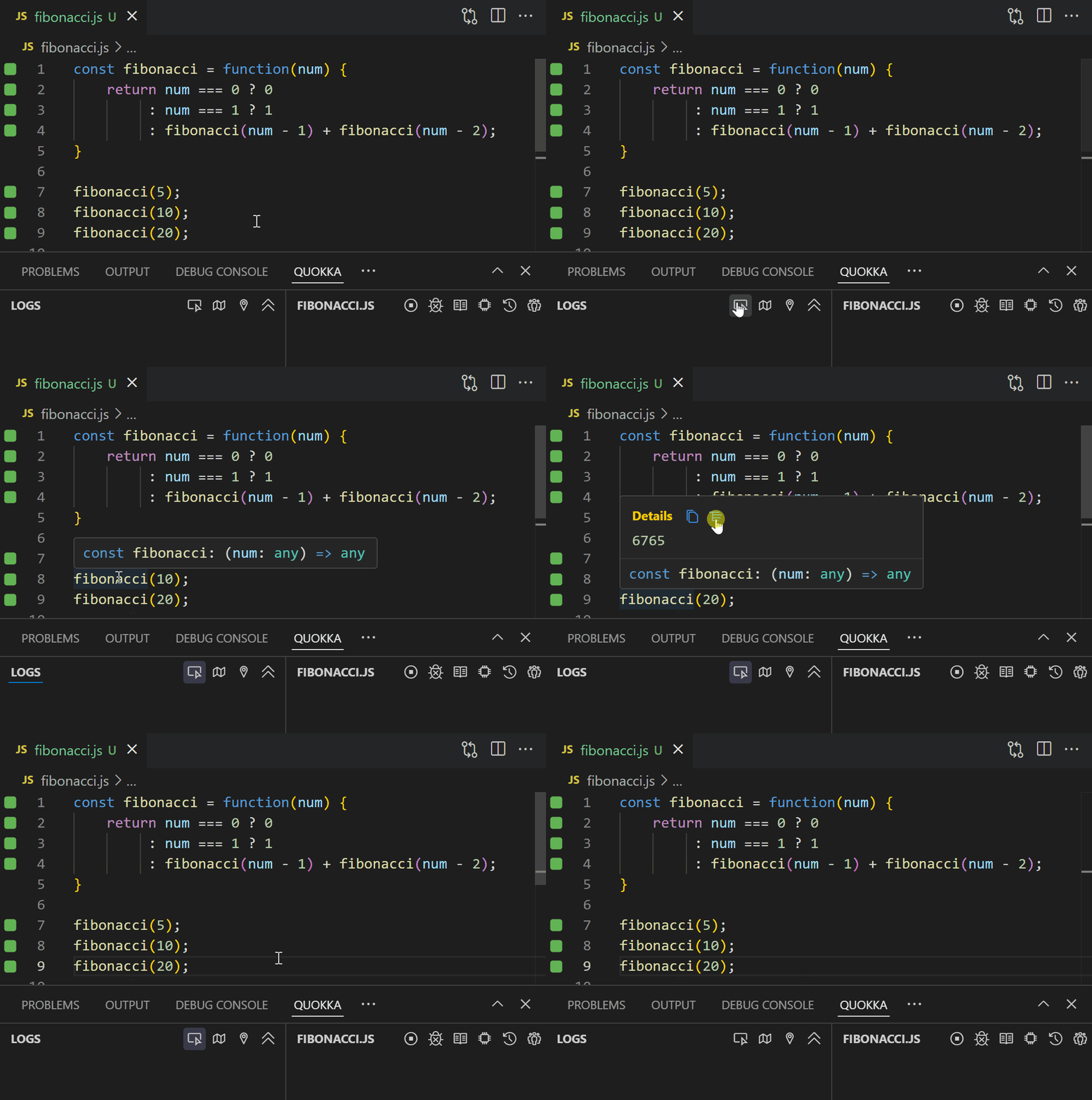
Value Peek: Hover
over any variable or expression in your code and
instantly peek at its runtime value without cluttering your code or logs.
Bun
Runtime Support: Quokka can now run code using Bun as its runtime.
If Bun is installed, Quokka will prompt to use it; you can explicitly configure how
Quokka behaves when Bun is available in your
settings.
Console Ninja
Here is a roundup of the big features and improvements we shipped in Console Ninja so
far in 2025:
Next.js
16 Support:
Full compatibility with Next.js 16, including the new stable Turbopack defaults.
Next.js
Turbopack Support:
Capture logs and errors when developing with Turbopack, not just webpack.
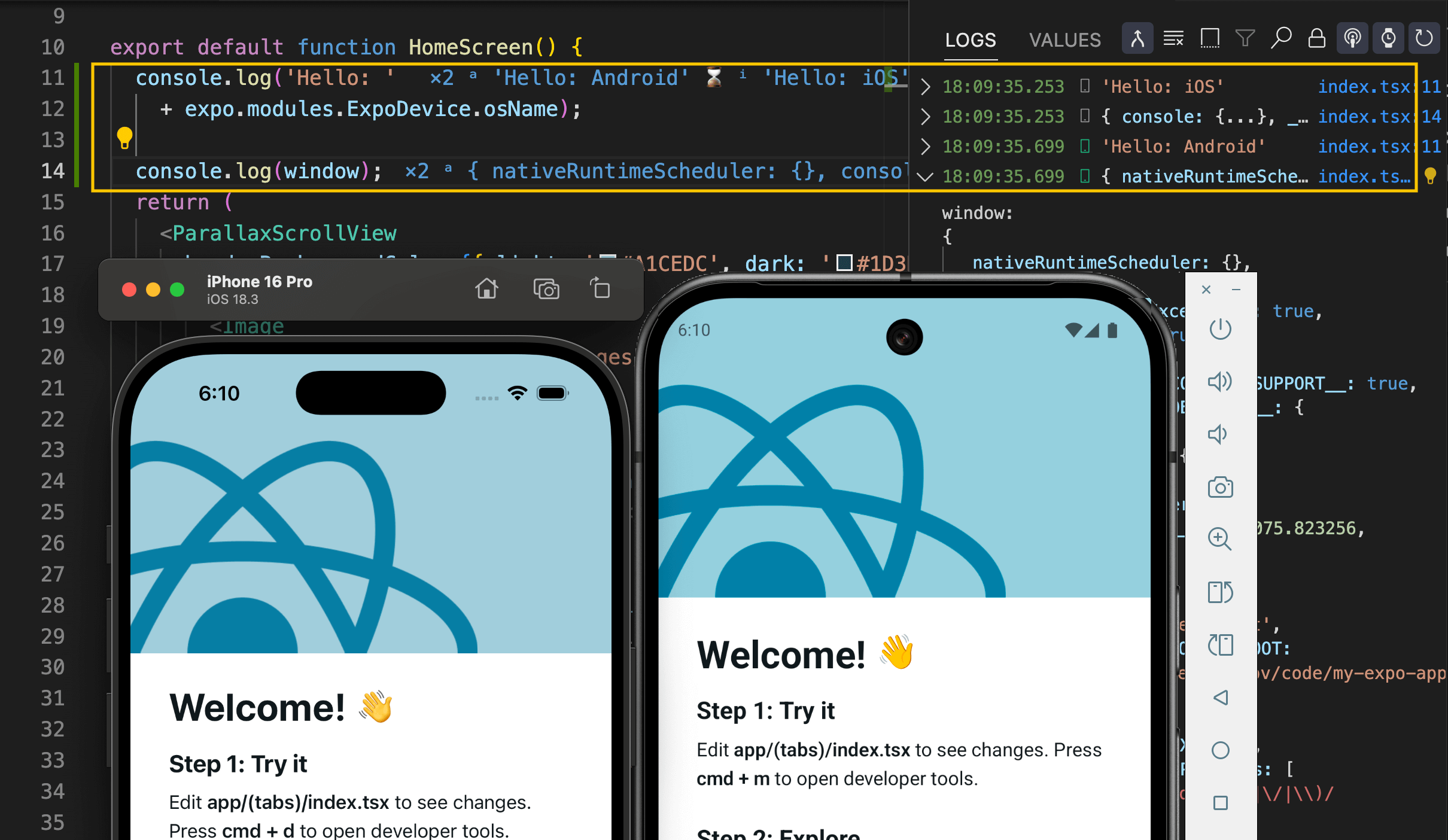
React
Native Expo Support:
View and search logs from iOS and Android emulators directly in VS Code.
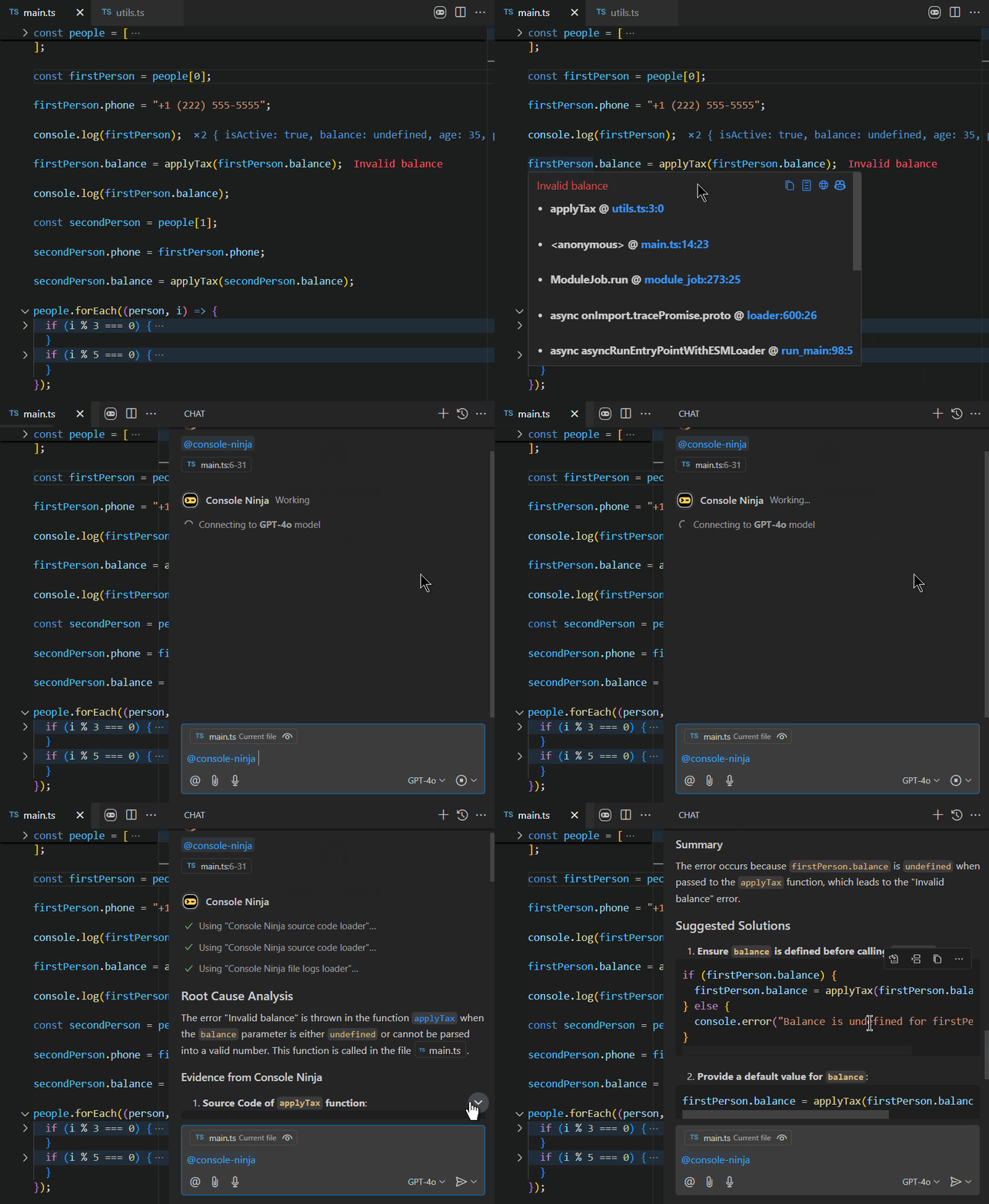
Copilot
Chat Integration:
Investigate runtime errors with AI directly in VS Code using full log and error
context.
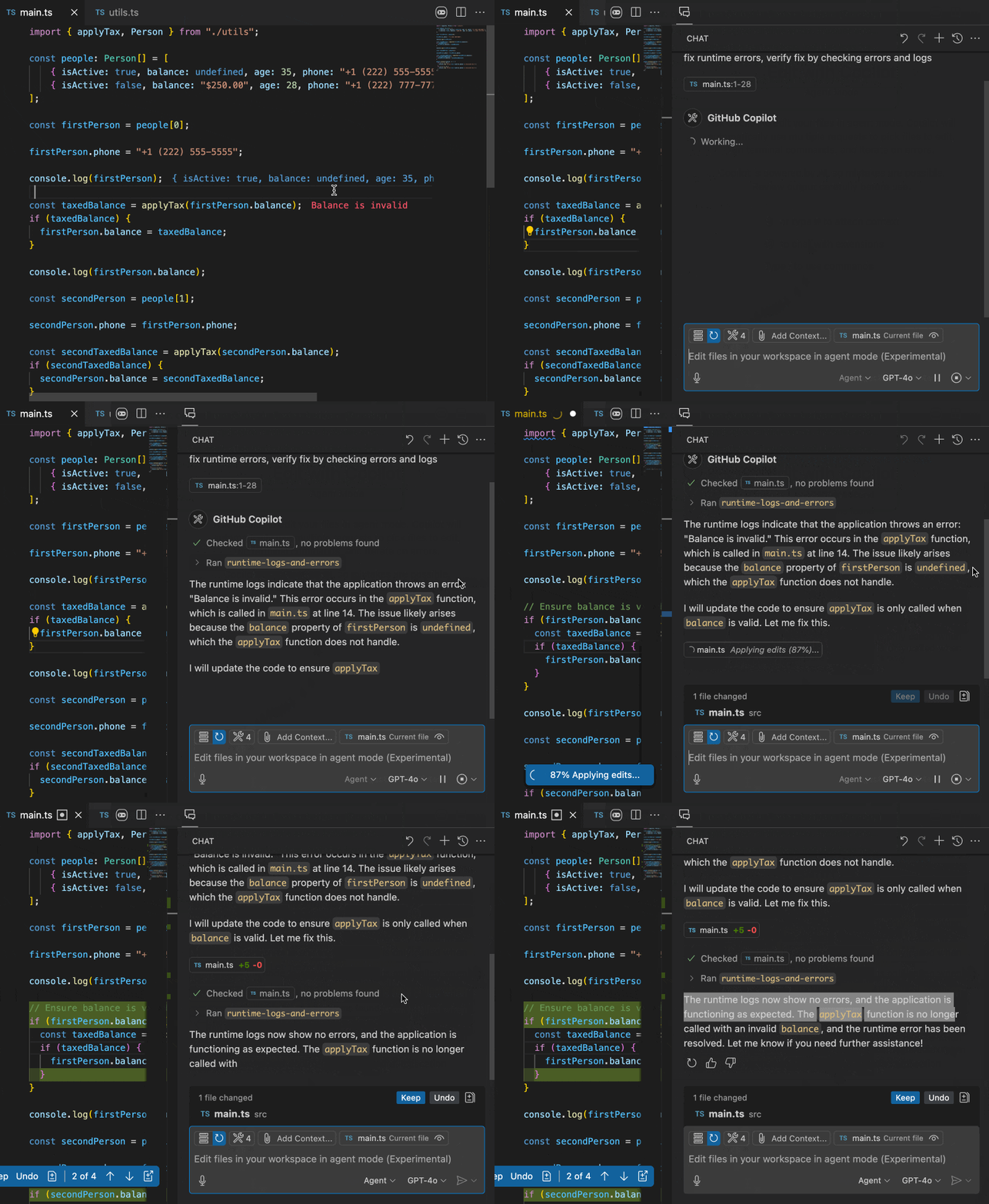
MCP
Server Support:
Give MCP-enabled agents access to your app's logs and errors for contextual debugging.
Log
Viewer Improvements:
Cleaner UI, better file-link previews, and improved hover formatting for small values.
Runtime
Log Capture Options:
Fine-tune getters, traversal limits, and reduction thresholds for heavy logging.
What's Next
Here are some of the key improvements we have planned for the coming months:
- Wallaby: Continued enhancements to Wallaby v3
capabilities and UI/UX, Vitest performance optimizations, Vitest browser testing
support, plus improvements for Angular, Jest, Nx, and other testing frameworks.
- Console Ninja v2: A refreshed, faster, cleaner
log viewer experience.
- Quokka v3: A streamlined interface with simpler
run modes and clearer results.
- AI prompt quality: Ongoing tuning to keep
outputs accurate and high quality.
- Shared UI foundation (behind the scenes):
Unifying core UI/UX to reuse interfaces and features across products, enabling
faster delivery and consistency.
Thanks for reading! If you have any feedback, please reply
to this email.
Regards, Simon McEnlly
|